
• Technology
    • Telecoms
      • Broadband
    • EnterpriseTECH
    • ConsumerTech
      • Gadgets and Appliances
      • Apps
      • Accessories
      • Reviews
      • Unboxing
    • Security & Data Protection
    • How To
    • GameTech
Tech | Business | Economy
  • Technology
    • Telecoms
      • Broadband
    • EnterpriseTECH
    • ConsumerTech
      • Gadgets and Appliances
      • Apps
      • Accessories
      • Reviews
      • Unboxing
    • Security & Data Protection
    • How To
    • GameTech
No Result
View All Result
  • Technology
    • Telecoms
      • Broadband
    • EnterpriseTECH
    • ConsumerTech
      • Gadgets and Appliances
      • Apps
      • Accessories
      • Reviews
      • Unboxing
    • Security & Data Protection
    • How To
    • GameTech
No Result
View All Result
Tech | Business | Economy
No Result
View All Result

Here are Payment Option Available on the PalmPay App 

Staff Writer by Staff Writer
August 29, 2024
in Partners
0
PalmPay App image
PalmPay App

PalmPay App

Just before you complete your payment, have you taken the time to look at your payment options? If you have not, this is for you!

In our fast-paced world, there are details we naturally ignore due to urgency. Imagine making a call and your airtime finishes, the first thing you want to do is to quickly top-up your airtime within the minute to return to the call.

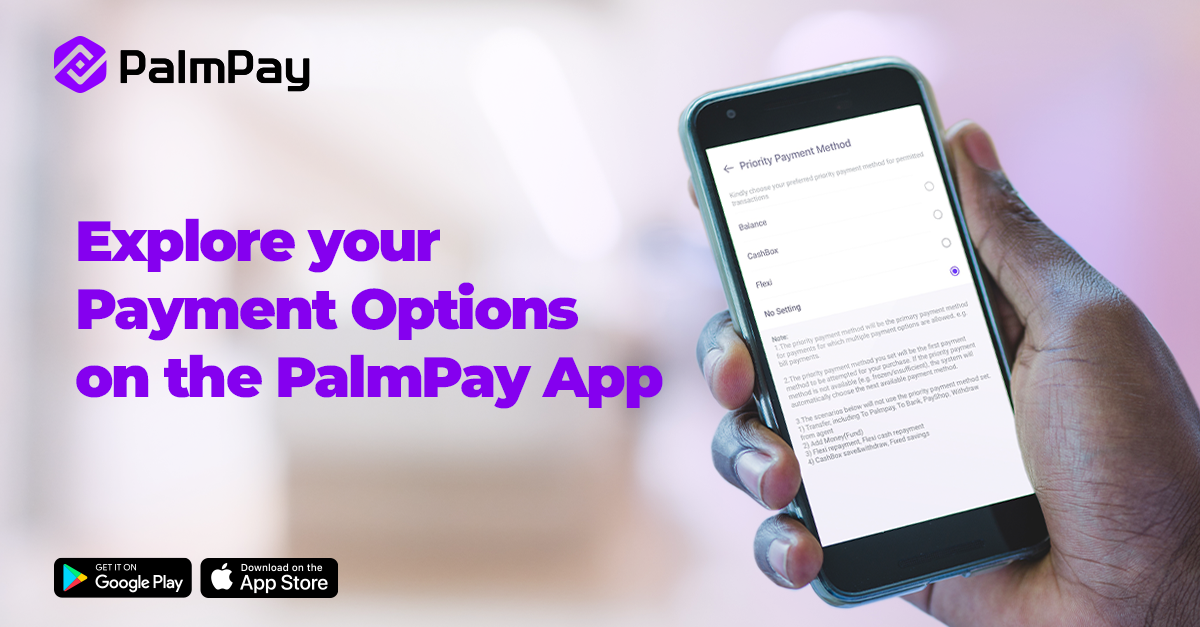
To make payment seamless, PalmPay has an in-app payment feature called Priority Payment Method, that eases transactions.

What is the Priority Payment Method?

The feature allows you to choose the primary payment method for which multiple payment options are allowed, such as airtime/data top-up and bill payments.

What you need to know?

  1. Your selection will be the first option for airtime/data top-up and bill payment.
  2. The feature does not apply to transfers, PayShop, withdrawal, savings and the likes.
  3. If your set priority payment method is not available, the system will automatically choose the next available payment method.

How to Set Your Priority Payment Method

  1. Open the PalmPay app and go to Settings
  2. Click ‘Payment Setting’
  3. Select ‘Priority Payment Method’
  4. Choose the Priority Payment Method that suits you best!

As always, you can reach out to us via social media for customer support.

Ad 16
Tags: PalmPay App
Previous Post

Apple iOS 18.1 Update Lets Users Remove Objects in Photos Seamlessly

Next Post

NDPC Boss Inaugurates LOC for 2025 NADPA-RADPA Conference

Next Post
NDPC Boss Inaugurates LOC for 2025 NADPA-RADPA Conference--

NDPC Boss Inaugurates LOC for 2025 NADPA-RADPA Conference

Leave a Reply Cancel reply

Your email address will not be published. Required fields are marked *

This site uses Akismet to reduce spam. Learn how your comment data is processed.

TECHECONOMY YOUTUBE CHANNEL

Search

No Result
View All Result
  • Technology

© 2026 Techeconomy - Techeconomy.

No Result
View All Result
  • Technology
    • Telecoms
      • Broadband
    • EnterpriseTECH
    • ConsumerTech
      • Gadgets and Appliances
      • Apps
      • Accessories
      • Reviews
      • Unboxing
    • Security & Data Protection
    • How To
    • GameTech

© 2026 Techeconomy - Techeconomy.