
ADVERTISEMENT
Wednesday, June 10, 2026
Tech | Business | Economy
No Result
View All Result
  • Technology
    • Trends
    • Telecoms
      • Broadband
    • ConsumerTech
      • Gadgets and Appliances
      • Apps
      • Accessories
      • Reviews
      • Unboxing
    • EnterpriseTECH
    • Security & Data Protection
    • How To
  • Business
    • Company News
    • StartUPs
      • Founder’s Story
      • Funding
    • Deals
    • People & Moves
    • SME & Entrepreneur Focus
    • BUSINESS SENSE FOR SMEs
    • Competition & Market Positioning
    • Commerce & Mobility
    • Travel
    • WomenPreneurs
  • Economy
    • Macroeconomic Trends
      • Macro Monday
      • TE Insights
    • Finance
      • Banks
      • Fintech
      • Insurance
      • Digital Assets
      • Personal Finance
    • Policies
      • Tech & Society
    • Market Analysis
    • Jobs & Workforce Economy
  • Features
    • Guest Writer
      • Chidiverse
      • Digital Assets
      • GameTech
    • EventDIARY
    • IndustryINFLUENCERS
    • MarkTECH
    • TBS
    • NewsEXTRA
  • Editorial
  • Brand Content
  • TECHECONOMY TV
Wednesday, June 10, 2026
Tech | Business | Economy
No Result
View All Result
Tech | Business | Economy
No Result
View All Result

Home » As We Approach World Backup Day, How Much do You Trust Your Device Memory?

As We Approach World Backup Day, How Much do You Trust Your Device Memory?

Ahead of World Backup Day, Kaspersky Explains How to Keep Your Data Safe

Joan Aimuengheuwa by Joan Aimuengheuwa
March 28, 2025
in Security & Data Protection
Reading Time: 4 mins read
0
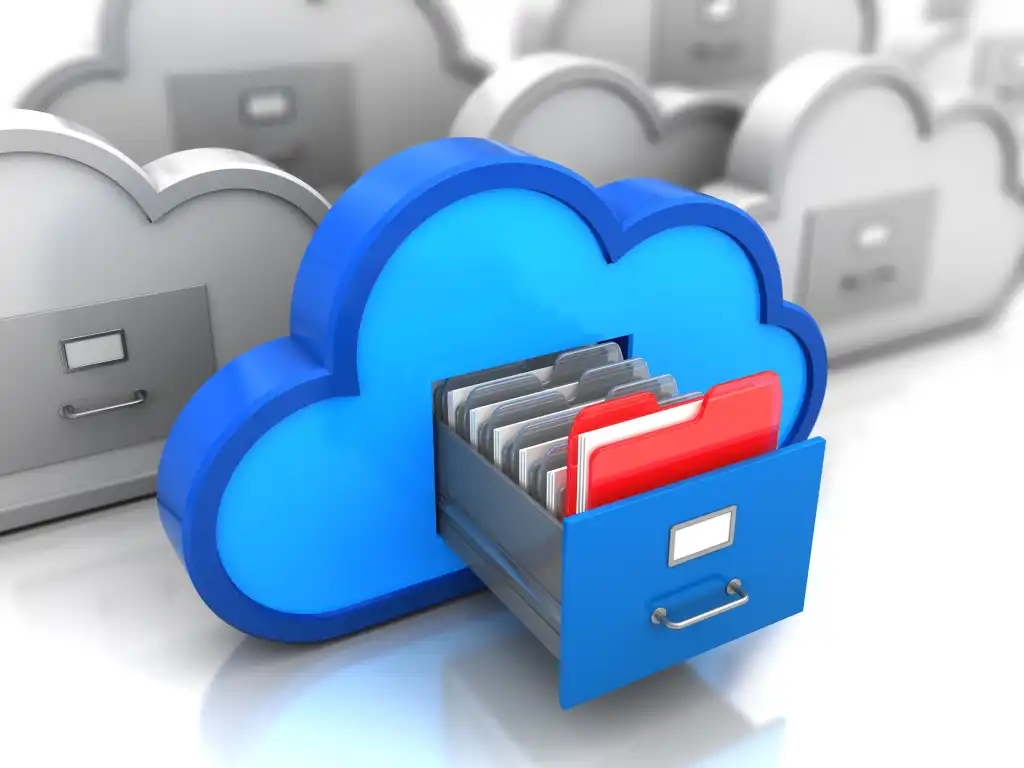
World Data Backup Day -

World Data Backup Day -

How much do you trust your device memory? Definitely more than you should. According to the statistics only 33% of users back up their data regularly, and more than 77% of people have already experienced data loss.

An annual tradition which started as a simple reddit post back in 2011, World Backup Day is celebrated on 31st March 2025 to provide a reminder of the importance of backing up data.

To mark the occasion, Kaspersky shares practical advice on how to create new beneficial digital habits to ensure your backups are safe.

 The first question that should be taken into consideration is: what exactly needs to be backed up? The answer seems to be lying on the surface.

The more you back up – the better.

Subscribe to our Telegram channel for the latest updates.

Follow the latest developments with instant alerts on breaking news, top stories, and trending headlines.

Join Channel

Work-related documents, family photos, financial info, health records, logins and passwords, and even content shared within messengers.

In fact, all of this needs to be backed up using reliable storage methods.

There are several reasons why it is recommended to copy as much data as you can. First of all, the device on which the information is stored may simply be lost, stolen or damaged.

For example, UK’s South Western Railway reports that at least 5 smartphones are lost per day on its network, which is almost 1800 devices per year.

Among other potential threats to data safety are ransomware attacks. This is a type of malware that blocks a computer and then demand a ransom for its release. In some cases, even paying the ransom does not help to restore data on an infected device.

Despite these substantial risks, in everyday life it’s almost impossible (and to some extent pointless) to back up everything.

Our devices contain gigabytes of information, most of which has no value. Creating backup storages of such a scale is time-consuming and expensive.

The main advice is to rank data correctly. Try to assort the items needing to be backed up by evaluating their relevance, recency and recovery options.

If a file, record or password is outdated or may be replaced by a newer version, backup may be safely ignored. If it is a new or highly valuable piece of information, backing up is necessary and preferably there should be more than one copy.

The art of backup

The next step towards data loss prevention is finding the suitable backup method to select. Obviously, it depends on multiple factors: type of data, type of device, pricing, user’s personal preferences and habits.

The most popular backup options are generally cloud or external storage services.  Both of these methods have their pros and cons. For example, cloud services give you instant access to information wherever you are, but they require regular subscription payments.

At the same time, external hard drives are reliable storages which only require one payment, but access to information on these devices is only possible when they are at hand.

Therefore, cloud storage is regarded as the perfect option for storing files and photos which should always be available in a few clicks, while external storage services are suitable for data archives and huge files, such as movies or videos which you rarely use.

Overall statistics show that nowadays most people choose  cloud technology as their main storage option.

Specific data such as passwords, ID or financial details require even more secure storage methods. Among the potential solutions password manager is an option that protects sensitive personal information, prevents its loss and provides immediate access to it at any time.

Automatic filling of authentication and banking data means users do not have to memorise important information and reliably protects data from being compromised.

While choosing backup and storage options it’s highly recommended to consider all the aspects.

To get backing up into a real habit, the method should not only be reliable and effective, but also suitable and convenient for you personally.

Enhanced protection

As it has been already mentioned, single manual backup might not be enough to protect data from being lost.

World Backup Day is the right time to remember that data might be vulnerable and take some proactive steps to secure it.

Kaspersky has created some tips on how to do it effectively:

  • Follow the rule 3-2-1. One of the most popular backup strategies is to have at least 3 copies of important data, store it on 2 different storage types, and make at least 1 copy off-side (cloud or external physical location).
  • Set up automatic backups. Most devices and services have a preinstalled backup function, which automatically creates a backup if you forget to make a copy in time.
  • Use a reliable security solution. Comprehensive digital protection with a specific anti-ransomware protection mechanism, such as in Kaspersky Premium, prevents device infection and protects your data from both local and remote-access ransomware attacks.
  • Make regular checks. It’s necessary to test your backups workability on a regular basis to notice the malfunction in time and fix it.


0Shares
Previous Post

1000 Students Set for MTN Champs Continental Relays

Next Post

Sanwo-Olu Hails Jumia for Strides in Nigeria’s eCommerce Sector

Joan Aimuengheuwa

Joan Aimuengheuwa

Joan thrives at helping individuals and businesses scale via storytelling...

Related Posts

NDPC | Meta | Vincent Olatunji

NDPC, Meta Launch Data Protection Initiative in Nigeria after $32.8m Settlement

June 8, 2026
Nigeria social media age restrictions

Nigeria Weighs Social Media Age Ban as 93% Voice Extreme Concern Over Child Online Safety

June 5, 2026

ESET Nigeria Empowers Lagos Government Personnel to Fight AI-Driven Cyber Risks

June 4, 2026
Load More
Next Post
Babajide Sanwo-Olu commends Jumia

Sanwo-Olu Hails Jumia for Strides in Nigeria’s eCommerce Sector

Leave a Reply Cancel reply

Your email address will not be published. Required fields are marked *

I agree to the Terms & Conditions and Privacy Policy.

This site uses Akismet to reduce spam. Learn how your comment data is processed.

Techeconomy Podcast
Techeconomy Podcast

The Techeconomy Podcast is a thought-leadership show exploring the powerful intersection of technology, business, and the economy, with a strong focus on Africa’s fast-evolving digital landscape.

Financing the Future: Venture Debt, Local Capital & African Innovation | TBS May 2026 Webinar
byTecheconomy

Africa’s innovation ecosystem is evolving, but where will the funding for the next generation of startups come from?

In this edition of the Techeconomy Business Series (TBS) May 2026, industry experts explore how local capital, venture debt, and smarter investment structures are redefining startup growth and innovation across Africa.

🎙️ Featured Speakers:

* Ebunoluwa Ashley-Dejo

* Damilare Davola

* Success Ajilore (STN & Accelerated Plus)

Key conversations in this webinar include:

✔️ The future of startup financing in Africa

✔️ Venture debt and alternative funding models

✔️ The role of local investors in scaling innovation

✔️ Sustainable investment strategies for African startups

✔️ Opportunities and challenges in the African tech ecosystem

Subscribe for more conversations shaping Africa’s digital economy and innovation landscape.

#TBS2026 #AfricanInnovation #VentureDebt #StartupFinance #TechInAfrica #Techeconomy #AfricanStartups #InnovationEconomy

Financing the Future: Venture Debt, Local Capital & African Innovation | TBS May 2026 Webinar
May 27, 2026
Techeconomy
PROTECTING INNOVATION IN AFRICA’S STARTUP ECOSYSTEM
April 29, 2026
Techeconomy
BUILDING TRUST IN AFRICA ECOSYSTEM
February 27, 2026
Techeconomy
Navigating a Career in Tech Sales
January 29, 2026
Techeconomy
How Technology is Transforming Education, Health, and Business
November 27, 2025
Techeconomy
Search Results placeholder
MTN Live It 100 Thematic Campaign
ADVERTISEMENT
  • About Us
  • Careers
  • Contact Us
  • Privacy Policy

© 2026 TECHECONOMY.

No Result
View All Result
  • Technology
  • Business
  • Economy
  • Features
  • Editorial
  • Brand Content
  • TECHECONOMY TV

© 2026 TECHECONOMY.

This website uses cookies. By continuing to use this website you are giving consent to cookies being used. Visit our Privacy and Cookie Policy.