

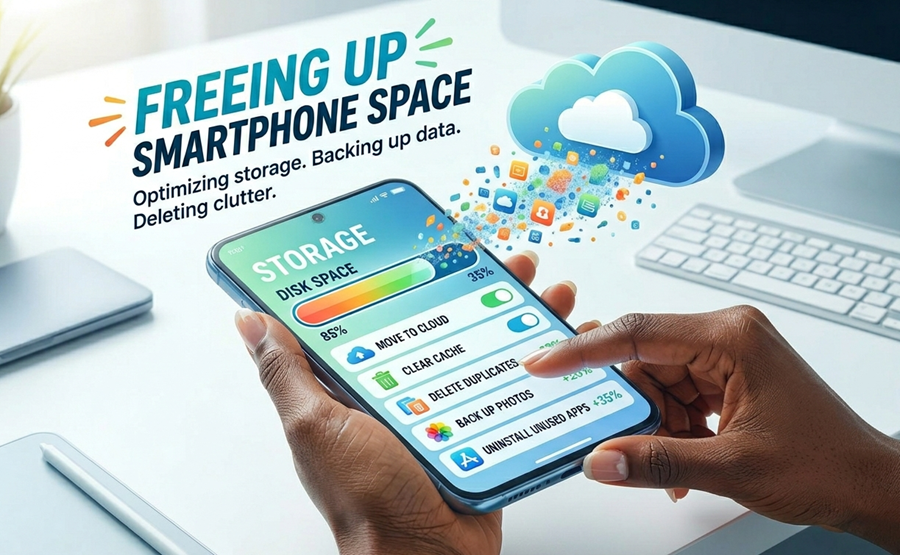
As smartphones gained popularity, users were sold a simple promise about digital life. That everything would live forever in our pockets.
No shelves, albums or boxes filled with old memories, just unlimited convenience in one device. However, reality has been different.
Almost everyone using modern phones today has experienced that frustrating moment where the phone storage becomes almost full at the worst time.
The irony is that, the more phones became more advanced and powerful, the more we stress about running out of space. And somehow we quietly became digital hoarders.
Meanwhile, in 2026, phone galleries are no longer apps for storing just memories. They have become very important personal databases that store everything from receipts, scanned documents, screenshots, tutorial clips and temporal images we are often afraid of deleting because they might come in handy later.
This is why storage management should not be better understood as “digital hygiene”. Just like maintaining a workspace can boost productivity, maintaining healthy storage habits can also improve a phone’s speed, last longer and stay reliable.
Whether you use a flagship smartphone or a budget-friendly Android device, efficient storage management matters even more today because it also affects mobile data usage, cloud syncing and overall device performance.
The good news is that you do not necessarily need to start deleting your favourite photos to free up space, you simply need smarter habits.
Tip 1: Master the “Cloud Offload” Method
One of the smartest things a modern smartphone user can do today is to stop seeing their local storage as the only home for their files, including memory cards.
Services like Google Photos and iCloud currently have “Free up Space” tools that automatically detect photos and videos already backed up online, and delete duplicates from the local storage.
Instead of believing your memories and important files are trapped inside a phone, your gallery can essentially become a digital library that can be accessed by any authenticated device.
This is especially useful to mobile-first professionals who use multiple devices. And for many users, these habits can save gigabytes of storage.
The tradeoff is that, users will always need an internet connection for this to work well, but it is still a better and more convenient alternative to SD cards and local storage.
Tip 2: Build a Simple “Cache Clearance” Routine
Cloud alone is not enough to get the most out of your local storage, one of the biggest storage problems now is caused by apps hiding junk files in the background, especially on iPhones.
Popular social media apps and browsers temporarily store files on smartphones as you use them. These files exist to make apps load faster, but over time they become digital clutter, especially when you don’t use an app anymore. On some phones, WhatsApp can consume as much as 10GB of space because of cached images and videos.
What most users don’t understand is that, clearing cache is not the same as clearing app data. It only means you free up space without resetting the app completely. Making it a monthly habit to clear the cache can reduce unnecessary storage build-up.
Tip 3: Optimise Your Camera and Media Quality Settings
Once the cache is handled, the next step is to reduce the size of the new contents entering your phone.
Modern cameras have very powerful cameras, but many people capture content at unnecessary file sizes.
Today, many smartphones can handle 4K resolution by default, and some models this year even come with 8K and telephoto lenses. These professional-grade specs produce very sharp quality videos and images, ideal for professionals but too unnecessary for casual users.
For everyday use, like social media and casual memories, 1080p is often more than enough. So another piece of advice to save storage is to reduce the quality from 4K.
Another underrated hack is to enable HEIF or HEVC formats when available. These are high-efficiency image and video formats which are designed to preserve quality while using less storage space.
Tip 4: Treat Downloads Like a Temporary Workspace
Offline downloads are another area that affects phone storage. They are lifesavers especially in places where internet connection is not available or fluctuating.
People download movies from Netflix, stream offline after downloading music on Spotify, videos from YouTube and countless PDFs or documents for later use. This is fine, but the problem is that “later use” often becomes permanent storage.
The smartest move is to treat your download folder as a temporary workspace rather than a permanent archive. If you have not watched or listened to something for 30 days, there is a high chance that you might not need it again, so sorting and deleting them could free up storage.
Tip 5: Audit Your Unused Apps
Other times, storage issues have nothing to do with files at all but apps. Some apps have practically become abandoned residents inside your phone.
These unused apps quietly occupy valuable space in phones while running occasionally in the background. This does not just affect storage, it also affects battery life and performance.
Both Android and iPhone now have a smarter way to manage this issue. On iPhones, a user can offload unused apps, which removes the app itself while preserving its documents and saved data.
On Android, storage settings can now help to identify apps rarely opened, making it easier to uninstall unnecessary software without affecting essential files.
This promotes a cleaner device in the long run, because a cluttered phone behaves similarly to a cluttered room, where everything becomes slower, harder to find, and more stressful.
Ultimately, good storage management is not a one-time cleanup session. It is more of a long-term habit. The people who rarely have issues with storage are not always the ones with the biggest phones. They are the ones with the best digital habits.
Once you start treating storage management as digital hygiene, your device feels faster. Updates install smoothly, and most importantly, your phone stops feeling too crowded.