
ADVERTISEMENT
Wednesday, June 10, 2026
Tech | Business | Economy
No Result
View All Result
  • Technology
    • Trends
    • Telecoms
      • Broadband
    • ConsumerTech
      • Gadgets and Appliances
      • Apps
      • Accessories
      • Reviews
      • Unboxing
    • EnterpriseTECH
    • Security & Data Protection
    • How To
  • Business
    • Company News
    • StartUPs
      • Founder’s Story
      • Funding
    • Deals
    • People & Moves
    • SME & Entrepreneur Focus
    • BUSINESS SENSE FOR SMEs
    • Competition & Market Positioning
    • Commerce & Mobility
    • Travel
    • WomenPreneurs
  • Economy
    • Macroeconomic Trends
      • Macro Monday
      • TE Insights
    • Finance
      • Banks
      • Fintech
      • Insurance
      • Digital Assets
      • Personal Finance
    • Policies
      • Tech & Society
    • Market Analysis
    • Jobs & Workforce Economy
  • Features
    • Guest Writer
      • Chidiverse
      • Digital Assets
      • GameTech
    • EventDIARY
    • IndustryINFLUENCERS
    • MarkTECH
    • TBS
    • NewsEXTRA
  • Editorial
  • Brand Content
  • TECHECONOMY TV
Wednesday, June 10, 2026
Tech | Business | Economy
No Result
View All Result
Tech | Business | Economy
No Result
View All Result

Home » How to Maximize Efficiency with Truecaller for Web

How to Maximize Efficiency with Truecaller for Web

…Seven Unique Features of Truecaller for Web

Joan Aimuengheuwa by Joan Aimuengheuwa
April 9, 2024
in How To
Reading Time: 2 mins read
1
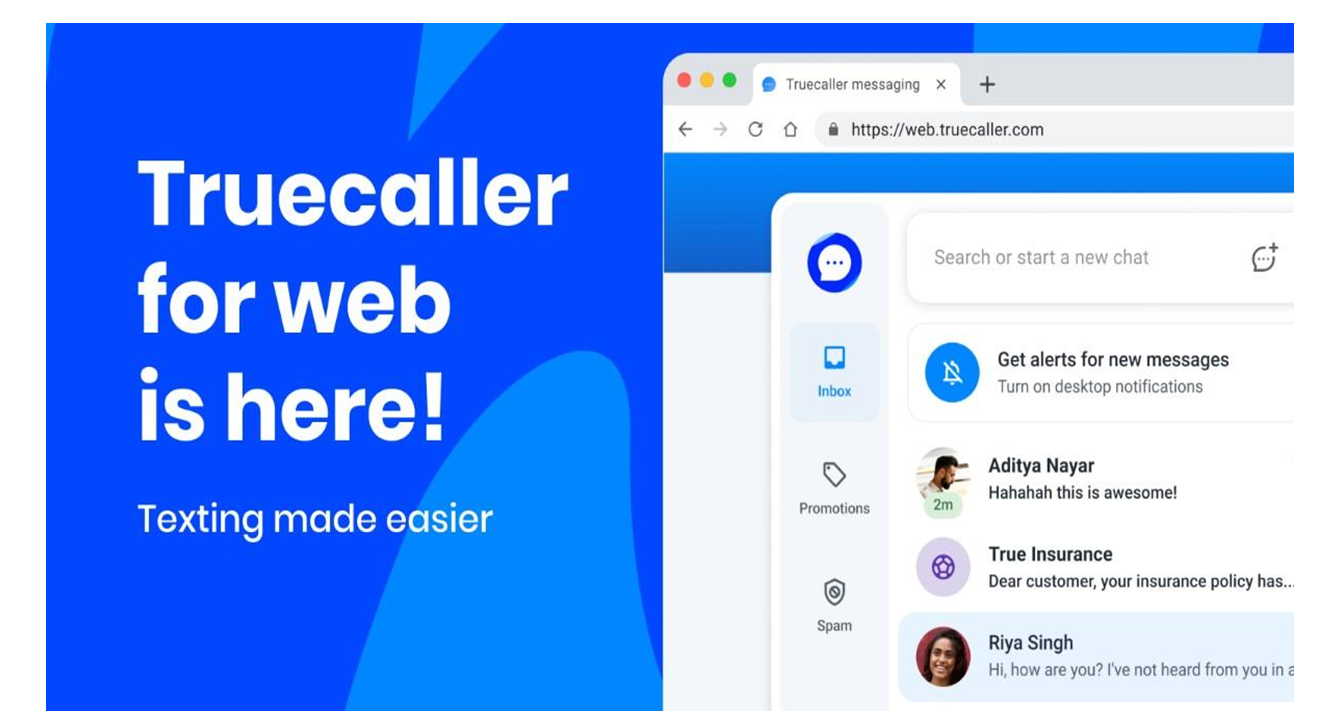
Truecaller for web version

Truecaller Web version

Truecaller for Web bridges the gap between efficiency and secure communication, two very important factors some of us struggle to combine when extremely busy.

But how do we maximize Truecaller for Web, a tool many of us understand to have existed as an app on mobile for secure calls, among other features?

Here are some key strategies to leverage Truecaller for Web, maximize efficiency and productivity in your daily communication tasks.

Getting Started with Truecaller for Web

The first step is the simple process of getting started with Truecaller for Web:

1. Access Truecaller for Web:

Subscribe to our Telegram channel for the latest updates.

Follow the latest developments with instant alerts on breaking news, top stories, and trending headlines.

Join Channel

Visit the Truecaller website on your desktop browser and follow the on-screen instructions to log in or sign up for an account if you haven’t already.

2. Sync with Truecaller App:

Open the Truecaller app on your Android device, navigate to Messages, and select “Messaging for Web” from the overflow menu. Follow the prompts to scan the QR code displayed on the Truecaller for Web interface.

3. Start Messaging:

Once synced, you can start accessing your SMS messages and Truecaller Chat conversations directly from your desktop browser.

Seven Key Features for Efficiency 

Truecaller for Web was built with a range of features designed to enhance efficiency and productivity in your messaging tasks:

1. SMS at Your Fingertips:

Swap your phone for your desktop for texting, allowing for faster typing and more comfortable reading on a larger screen.

2. Desktop Interface:

Enjoy an easy-to-use desktop interface designed for your computer, making it easier to manage your messages and stay organized.

3. The Magic of a Keyboard:

Take advantage of the convenience of a full keyboard for faster typing and smoother communication, minimizing typos and improving speed.

4. Big Screen, Big Comfort:

Benefit from the larger view offered by the web version, making it easier to read and respond to messages without straining your eyes.

5. Drag, Drop, Done:

Manage your messages effortlessly with intuitive drag-and-drop functionality, allowing you to prioritize conversations and stay organized.

6. Work and Text Together:

Seamlessly integrate messaging into your workflow, keeping your chats in sight while you work and ensuring that you never miss an important message.

7. Secure Call Alerts on Desktop:

Stay informed of incoming calls even when your phone is out of reach, with call alerts displayed directly on your desktop, helping you distinguish between genuine and spam calls.

Tips for Maximizing Efficiency

To get the most out of Truecaller for Web and optimize your efficiency, consider the following tips:

Stay Organized: Use folders or labels to categorize your messages and keep your inbox organized.

Utilize Quick Replies: Take advantage of predefined quick replies for common messages to save time and streamline your responses.

Set Notifications: Customize your notification settings to ensure that you’re alerted to important messages promptly.

Keep App Updated: Regularly update the Truecaller app on your Android device to access the latest features and enhancements for Truecaller for Web.

This is a tool for enhancing efficiency and productivity in your messaging tasks. Leveraging its key features of either swapping messages with colleagues or catching up with friends, brings the solution for efficient and effective communication.


0Shares
Previous Post

Nigeria: We’re Building Climate Resilient Economy – Edun

Next Post

Managing Organizational Change: Cultivating a Culture of Innovation and Collaboration

Joan Aimuengheuwa

Joan Aimuengheuwa

Joan thrives at helping individuals and businesses scale via storytelling...

Related Posts

Review: SanDisk iXpand Flash Drive Luxe – A Smart Storage Solution for iPhones | Phone

Why Your Phone Storage is Filling Up Faster Than Before And What to Do

June 2, 2026
Free up phone space | iPhonee and Android

Five Smart Ways to Free Up Phone Storage without Deleting Your Photos

May 28, 2026

NCC Advisory: Take Control of Your Mobile Data

May 26, 2026
Load More
Next Post
Change Management

Managing Organizational Change: Cultivating a Culture of Innovation and Collaboration

Comments 1

  1. Pingback: Truecaller Lets AI Answer Calls with Your Own Voice, Thanks to Microsoft

Leave a Reply Cancel reply

Your email address will not be published. Required fields are marked *

I agree to the Terms & Conditions and Privacy Policy.

This site uses Akismet to reduce spam. Learn how your comment data is processed.

Techeconomy Podcast
Techeconomy Podcast

The Techeconomy Podcast is a thought-leadership show exploring the powerful intersection of technology, business, and the economy, with a strong focus on Africa’s fast-evolving digital landscape.

Financing the Future: Venture Debt, Local Capital & African Innovation | TBS May 2026 Webinar
byTecheconomy

Africa’s innovation ecosystem is evolving, but where will the funding for the next generation of startups come from?

In this edition of the Techeconomy Business Series (TBS) May 2026, industry experts explore how local capital, venture debt, and smarter investment structures are redefining startup growth and innovation across Africa.

🎙️ Featured Speakers:

* Ebunoluwa Ashley-Dejo

* Damilare Davola

* Success Ajilore (STN & Accelerated Plus)

Key conversations in this webinar include:

✔️ The future of startup financing in Africa

✔️ Venture debt and alternative funding models

✔️ The role of local investors in scaling innovation

✔️ Sustainable investment strategies for African startups

✔️ Opportunities and challenges in the African tech ecosystem

Subscribe for more conversations shaping Africa’s digital economy and innovation landscape.

#TBS2026 #AfricanInnovation #VentureDebt #StartupFinance #TechInAfrica #Techeconomy #AfricanStartups #InnovationEconomy

Financing the Future: Venture Debt, Local Capital & African Innovation | TBS May 2026 Webinar
May 27, 2026
Techeconomy
PROTECTING INNOVATION IN AFRICA’S STARTUP ECOSYSTEM
April 29, 2026
Techeconomy
BUILDING TRUST IN AFRICA ECOSYSTEM
February 27, 2026
Techeconomy
Navigating a Career in Tech Sales
January 29, 2026
Techeconomy
How Technology is Transforming Education, Health, and Business
November 27, 2025
Techeconomy
Search Results placeholder
MTN Live It 100 Thematic Campaign
ADVERTISEMENT
  • About Us
  • Careers
  • Contact Us
  • Privacy Policy

© 2026 TECHECONOMY.

No Result
View All Result
  • Technology
  • Business
  • Economy
  • Features
  • Editorial
  • Brand Content
  • TECHECONOMY TV

© 2026 TECHECONOMY.

This website uses cookies. By continuing to use this website you are giving consent to cookies being used. Visit our Privacy and Cookie Policy.