

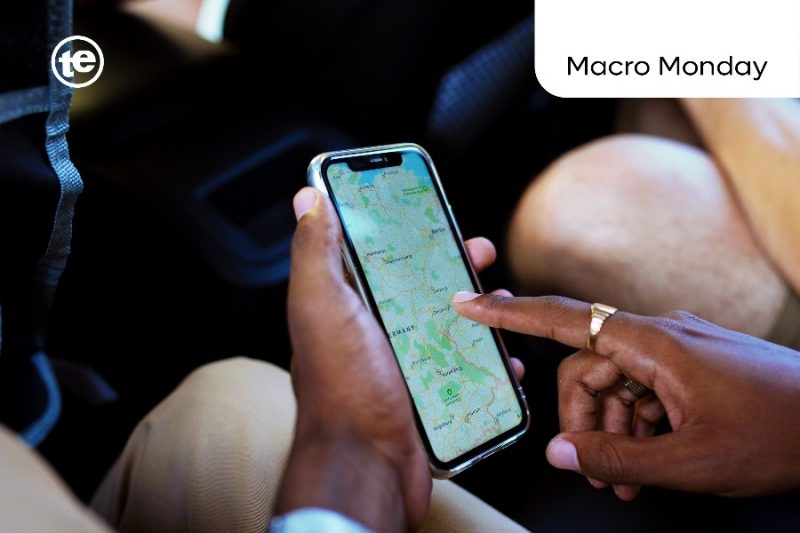
We could describe turning off the GPS of a smartphone as closing the front door of your house, but what many people do not realise is that there are still other windows open.
Your smartphone is designed to find its way, and GPS is only one of the tools it uses.
Many people believe that switching off GPS completely hides their location, and truly, if the Global Positioning System is disabled, your phone should not know where you are.
That is not how modern smartphones work.
Today’s Android phones and iPhones rely on several technologies to estimate location, and GPS is one of them, but it is not the only one.
Depending on where you are, your phone can use nearby mobile towers, Wi-Fi networks, Bluetooth signals and even its own motion sensors to work out your position. These systems usually work together, making location services faster and more accurate than relying on satellites alone.
So, if your weather app still knows your city after GPS is off, or Google Maps quickly finds your location when you reopen it, there is a good reason.
GPS off does not always mean location off
The first thing to understand is the difference between GPS and location services.
GPS is a satellite-based positioning system, and your smartphone contains a receiver that listens to signals from satellites orbiting the Earth. Calculating how long those signals take to arrive, the device estimates its position using a method known as trilateration.
Location services are much wider.
On both Android and iPhone, location services combine information from several sources, including GPS, Wi-Fi access points, mobile network towers and built-in sensors. The operating system decides which combination will provide the quickest and most accurate result.
This is why turning off GPS alone does not necessarily stop your smartphone from estimating where you are.
How GPS actually works
The Global Positioning System consists of dozens of satellites continuously orbiting the Earth. Each satellite broadcasts its location and the exact time the signal was sent.
Your phone simply listens.
When signals from at least four satellites are available, the phone calculates its latitude, longitude and altitude. This process is extremely accurate in open areas, usually locating a user within a few metres.
However, GPS has limitations.
It doesn’t do well inside shopping malls, underground car parks, tunnels and between tall buildings where satellite signals are blocked or reflected. That is one reason smartphones do not depend on GPS alone.
Many devices also use Assisted GPS, commonly called A-GPS. Instead of waiting to identify satellites from scratch, the phone downloads supporting information through the internet or mobile network, helping it lock onto satellites much faster.
Your mobile network already knows roughly where you are
Even without GPS, your smartphone must stay connected to a mobile network if you want to make calls, send messages or use mobile data.
That connection requires constant communication with nearby cell towers.
Whenever your phone moves, it automatically switches between towers to maintain the strongest signal. In measuring signal strength and timing from several towers, the network can estimate your general location.
This method is not as accurate as GPS. In cities with many towers, it may narrow your location to within a few hundred metres. In rural areas, where towers are much farther apart, the estimate may cover several kilometres.
This is one reason emergency responders and mobile operators can usually determine the approximate location of a smartphone even when GPS is unavailable.
Why Wi-Fi is more important than most people realise
Many people think Wi-Fi is only important when they connect to the internet.
But actually, simply detecting nearby Wi-Fi networks can help determine location.
Every Wi-Fi router has a unique identifier. Over many years, companies such as Google and Apple have built enormous databases linking millions of Wi-Fi access points to physical locations. When your phone scans nearby networks, it compares what it sees with these databases to estimate where you are.
Interestingly, your phone does not need to connect to those Wi-Fi networks.
It only needs to detect that they exist.
This is why your location becomes much more accurate indoors after enabling Wi-Fi, even if you never join a wireless network.
Bluetooth is also important
Walk into a modern airport, shopping centre or museum and your phone may detect small Bluetooth transmitters known as beacons.
These devices continuously broadcast short signals.
If an app has permission to use Bluetooth for location, it can use nearby beacons to identify your position inside a building where GPS performs poorly.
Retailers sometimes use this technology to improve indoor navigation or help shoppers find specific stores. Airports also use it to guide passengers through terminals.
Your phone remembers how you move
Modern smartphones do not only contain GPS receivers.
- Inside are sensors that measure movement, direction and air pressure.
- The accelerometer detects motion.
- The gyroscope measures rotation.
- The magnetometer acts like a digital compass.
- Some phones also include a barometer that measures changes in air pressure, helping estimate elevation, such as moving between floors in a building.
Together, these sensors allow the phone to estimate movement even when satellite signals disappear for a short time.
For example, if you enter a tunnel while using navigation, the blue dot on your map usually keeps moving instead of freezing. That happens because the phone estimates how far you have travelled based on speed, direction and previous position until GPS becomes available again.
The secret is that your phone combines everything
Perhaps the biggest misconception is that smartphones rely on one technology at a time.
They do not.
Instead, they combine several signals simultaneously. Engineers call this sensor fusion or fused location.
Your phone constantly compares information from GPS, Wi-Fi, Bluetooth, mobile towers and motion sensors before deciding which estimate is most reliable. This approach makes location services faster, more stable and more accurate, especially indoors or in busy cities.
Why some apps still know where you are
Not every app needs your exact location.
- A weather app may only need your city.
- A banking app may check whether a transaction matches your usual area.
- A ride-hailing app requires precise positioning to locate your pickup point.
- A navigation app needs continuous updates while you drive.
Because different apps have different needs, your phone decides how much location information to provide based on your settings and permissions.
Both Android and iPhone also allow users to grant approximate location instead of precise location for many apps, giving people more control over their privacy.
Can your phone still be tracked if GPS is off?
The short answer is yes, but not always in the way many people imagine.
Turning off GPS does not make a phone invisible. If it remains connected to a mobile network, the operator still needs to know roughly where the device is so calls and data can be delivered.
Similarly, apps that have permission to access location may use other available signals, such as Wi-Fi or mobile networks, depending on your device settings.
However, this does not mean every app can constantly see your exact position.
Modern operating systems place a strong focus on location permissions. Users can allow access only while using an app, allow it all the time, provide only an approximate location or deny access completely.
Does Airplane Mode stop location tracking?
Airplane Mode switches off your phone’s wireless communications, including cellular connections.
That significantly reduces the information your device shares with external networks.
However, GPS itself is a receiver rather than a transmitter. Depending on the device and app, GPS may still work without mobile service because it simply listens to satellite signals. If Wi-Fi or Bluetooth is manually turned back on while Airplane Mode remains enabled, they can again contribute to location estimation.
How to reduce location tracking
Most people do not need to disable every location feature.
Instead, it is worth reviewing which apps genuinely require access.
A few simple checks can improve privacy:
- Review location permissions regularly.
- Allow precise location only for apps that genuinely need it.
- Remove location access from apps you rarely use.
- Turn off Location History if you do not use timeline features.
- Disable Wi-Fi and Bluetooth scanning if you are comfortable trading some location accuracy for greater privacy, where your device offers those settings.
The bottom line
Turning off GPS is not the same as turning off your phone’s ability to estimate location.
Modern smartphones are built to combine information from satellites, mobile towers, nearby Wi-Fi networks, Bluetooth signals and built-in sensors; each source fills a gap left by another. If satellite signals disappear inside a shopping mall, Wi-Fi can help. If Wi-Fi is unavailable, mobile towers provide an estimate. If every external signal weakens, motion sensors can temporarily keep track of movement.
That layered approach is what makes today’s smartphones so responsive. It is also a reminder that location services have become far more sophisticated than many people realise.
Understanding how they work is not about becoming suspicious of technology, but making informed choices. The more we understand what our devices can do, the better prepared we are to decide when convenience is worth sharing our location, and when it is not.